Hindi captions
Hindi captions in proper Devanagari
Matras in the right place, conjuncts joined, nothing turning into boxes. Speak Hindi and get captions in हिंदी, timed to every word — or in English letters, or translated into English, from the same recording.
- 5 minutes free every month
- No watermark
- SRT for YouTube

Devanagari that renders right
Captions are drawn with fonts made for Devanagari, so क्ष, त्र, श्र and every matra come out the way they should — on any phone, because they are part of the video.
Subtitles for YouTube too
Download an SRT or VTT in Devanagari for YouTube Studio, VN or Premiere, alongside or instead of burned-in captions.
English for a wider audience
Speaking Hindi but posting for everyone? Choose captions in English and each sentence is translated as it is said.
Hindi, Marathi and more
Hindi first, not an afterthought
Hindi comes back in Devanagari, and the words a recogniser keeps getting wrong — a name, a brand, a place — you fix once and it stays fixed for every video after.
- Hindi, or Hinglish in English letters, from the same recording
- मराठी captions in Devanagari too, and Tamil, Telugu, Kannada and Malayalam in their own scripts
- Click any word to retype it, with your Hindi keyboard or by pasting
Styles
Styles drawn with Devanagari fonts
Of the thirty-seven, eighteen use a font with Devanagari built in. Six of them:

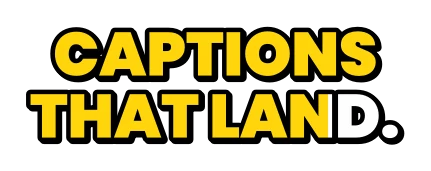
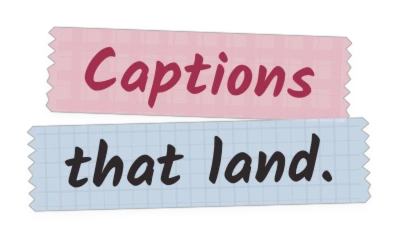
Every card is a real render from the app. See all thirty-seven styles
How it works
Hindi captions in three steps
-
1
Open your video
Pick Hindi / Hinglish as the language, and हिंदी as the way to write it.
-
2
Pick a style, fix a word
Try styles on your own footage. Click a word to retype it; a name you fix stays fixed.
-
3
Download
An MP4 with the Hindi captions burned in, or an SRT for YouTube’s subtitle upload.
Questions
Will the Hindi captions look right on Instagram and YouTube?
Yes. Burned-in captions are part of the picture, so every phone shows exactly what you saw in the editor, whatever fonts it has. An SRT file is shown in the player’s own font, which handles Devanagari on YouTube.
Can I write the captions in English letters instead?
Yes. Choose Hinglish (English letters) at the start, or switch the script later in the Text tab; the captions are written again with the same timing.
Can I get English subtitles for a Hindi video?
Yes. Choose “Captions in: English” before you start, and each sentence is translated and timed while it is said. Check names and numbers before you post.
Can I upload the Hindi subtitles to YouTube?
Yes. Download the SRT and upload it in YouTube Studio under Subtitles, as a file with timing. Your viewers can then turn the Hindi subtitles on or off.
Do you do Marathi too?
Yes, in Devanagari or in English letters, along with Tamil, Telugu, Kannada and Malayalam, each in its own script.
Is it free?
Free is five minutes of transcription a month, at 720p, with thirteen styles and no watermark. Paid plans start at ₹99 a month for an hour of transcription, with every style and 1080p.
Hindi captions,
done properly.
Five minutes of transcription a month, free, with no watermark, for as long as you want it.