Podcast captions
Captions for podcasts and voice notes
Caption a full episode with no length cap, or turn a clip, a voiceover or a WhatsApp voice note into a video for Reels and Shorts: your words on a background of your colour, with a moving sound wave.
- MP3, M4A and WAV too
- No length cap
- No watermark
Sound alone is enough
Open an MP3, M4A or WAV and get a video back: 9:16 for Reels, 1:1 for the feed or 16:9 for YouTube, on a background in your colour, with a sound wave that moves with your voice.
Full episodes, no cap
The video is made on your own device, so a 60-minute episode works like a 60-second clip. Your plan counts only the minutes you caption.
Looks made for talking
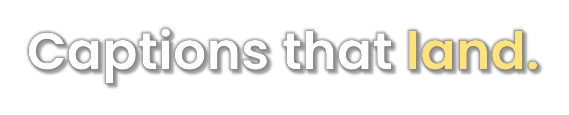
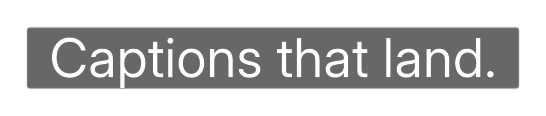
Podcast shows a full line with the word being said in yellow; Broadcast puts TV-style subtitles on a black band. Both read well for a long time.
Voice notes
A voice note is a Reel waiting to happen
A thought recorded in the car, a voiceover, a clip from your last episode: open the sound, pick a shape and a colour, and out comes an MP4 with your recording intact.
- Hindi, Hinglish and English, plus Marathi, Tamil, Telugu, Kannada and Malayalam
- The whole transcript as text, for show notes and descriptions
- An SRT for YouTube when you post the full episode
Styles
Styles for people talking
Built to stay readable for a whole episode, not just a few seconds.

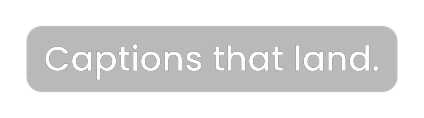
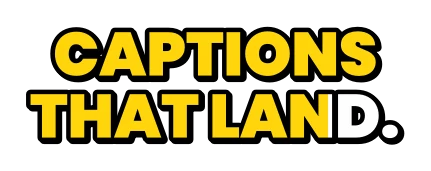

Every card is a real render from the app. See all thirty-seven styles
How it works
A captioned episode in three steps
-
1
Open the recording
A video of your episode, or just the sound: MP4, MOV, WebM, MP3, M4A or WAV.
-
2
Pick a shape and a look
For sound alone, choose 9:16, 1:1 or 16:9 and a background colour. Then a caption style.
-
3
Download
The MP4 with captions, an SRT or VTT for YouTube, and the transcript as text.
Questions
Can I make a video from audio only?
Yes. Open an MP3, M4A or WAV, or a voice note, and it is captioned onto a background of your colour with a moving sound wave, in 9:16, 1:1 or 16:9. Your recording is copied into the video untouched.
Is there a limit on episode length?
No. The video is made on your own device, not on our servers, so a full episode works like a short clip. What your plan counts is minutes of transcription.
Can I get a transcript for show notes?
Yes. Download the whole transcript as plain text, along with an SRT or VTT for YouTube.
Can each speaker have their own colour?
Not yet. Captions follow the conversation in one style; you can give any single line a look of its own by hand.
Which languages work?
English, Hindi and Hinglish, Marathi, Tamil, Telugu, Kannada and Malayalam, each in its own script or in English letters.
Is it free?
Free is five minutes of transcription a month, at 720p, with thirteen styles and no watermark. Paid plans start at ₹99 a month for an hour of transcription, with every style and 1080p.
Your next episode,
captioned.
Five minutes of transcription a month, free, with no watermark, for as long as you want it.