Indian language captions
Captions in your language, your script
Tamil, Telugu, Marathi, Kannada and Malayalam, as well as Hindi and English. Speak the way you do and get captions in the language’s own script — or in English letters, the way people type it — with every word on screen as you say it.
- Five Indian languages, plus Hindi
- Own script or English letters
- No watermark
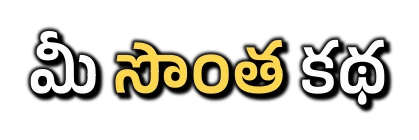
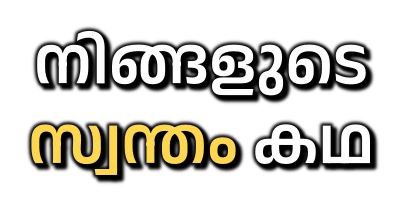
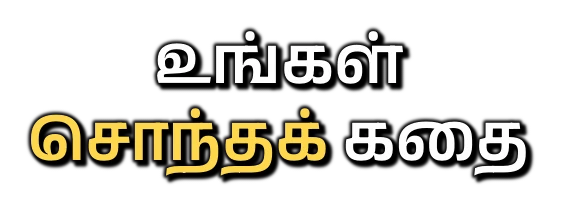
In its own script, drawn properly
Every style draws Tamil, Telugu, Kannada and Malayalam in Anek, a typeface made for each script, so joined letters, stacked consonants and vowel signs come out right, whichever look you pick.
Or in English letters
Many creators write their language in English letters — Tanglish, Manglish and the rest. Choose that instead; English words you say stay in English either way.
Into another language too
Speak Malayalam, post English captions; speak English, post them in Tamil. Pick Captions in and each sentence is translated as it’s said. How translation works
Five languages
The same line, five scripts
“Your own story”, captioned in each — real renders from the app, in the Clean Yellow style. Marathi is written in Devanagari, like Hindi.
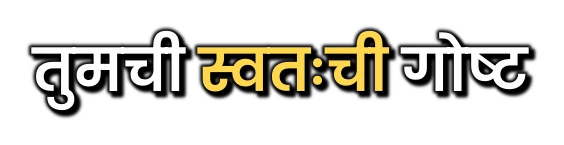
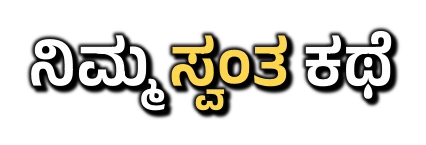
Every one of the forty-seven styles works in all of them. See the styles
How it works
Captions in your language in three steps
-
1
Open your video
Pick the language you speak: Marathi, Tamil, Telugu, Kannada or Malayalam — or Hindi, Hinglish or English.
-
2
Choose how it’s written
Its own script, or English letters. Then a style, tried on your own footage.
-
3
Fix a word, then post
Click any word to retype it, then download the MP4 with captions burned in, or an SRT for YouTube.
Questions
Which Indian languages can I caption?
Hindi and Hinglish, Marathi, Tamil, Telugu, Kannada and Malayalam, as well as English. Each Indian language can be written in its own script or in English letters.
Does it work out the language by itself?
For English and Hindi, yes. For Marathi, Tamil, Telugu, Kannada and Malayalam, pick the language before you start: it’s what the speech model listens for, and it keeps the script right.
Can I have Tamil or Malayalam captions in English letters?
Yes. After picking the language, choose English letters instead of its own script. Words you say in English stay in English.
Do all the caption styles work in these languages?
Yes. Where a style’s own font has no letters for the script, the captions are drawn in Anek, a typeface made for Tamil, Telugu, Kannada and Malayalam (Poppins for Marathi’s Devanagari), regular or bold to suit the look.
Can I get English captions for a Tamil or Malayalam video?
Yes. Choose “Captions in: English” before you start. Each sentence is translated from the speech itself and shown while it’s being said. Check names and numbers before you post.
Is it free?
Free is five minutes of transcription a month, at 720p, with thirteen styles and no watermark. Paid plans start at ₹99 a month for an hour of transcription, with every style and 1080p.
Your language,
on screen.
Five minutes of transcription a month, free, with no watermark, for as long as you want it.